

Coding agents for Mac
All your coding agents, side by side
DevMode runs Claude Code, Codex, OpenCode and Cursor in one window, in one chat that reads the same whichever agent is talking. Approve what they do, line up what runs next, and hand work from one agent to another.
- Claude Code
- Codex
- OpenCode
- Cursor
Side by side
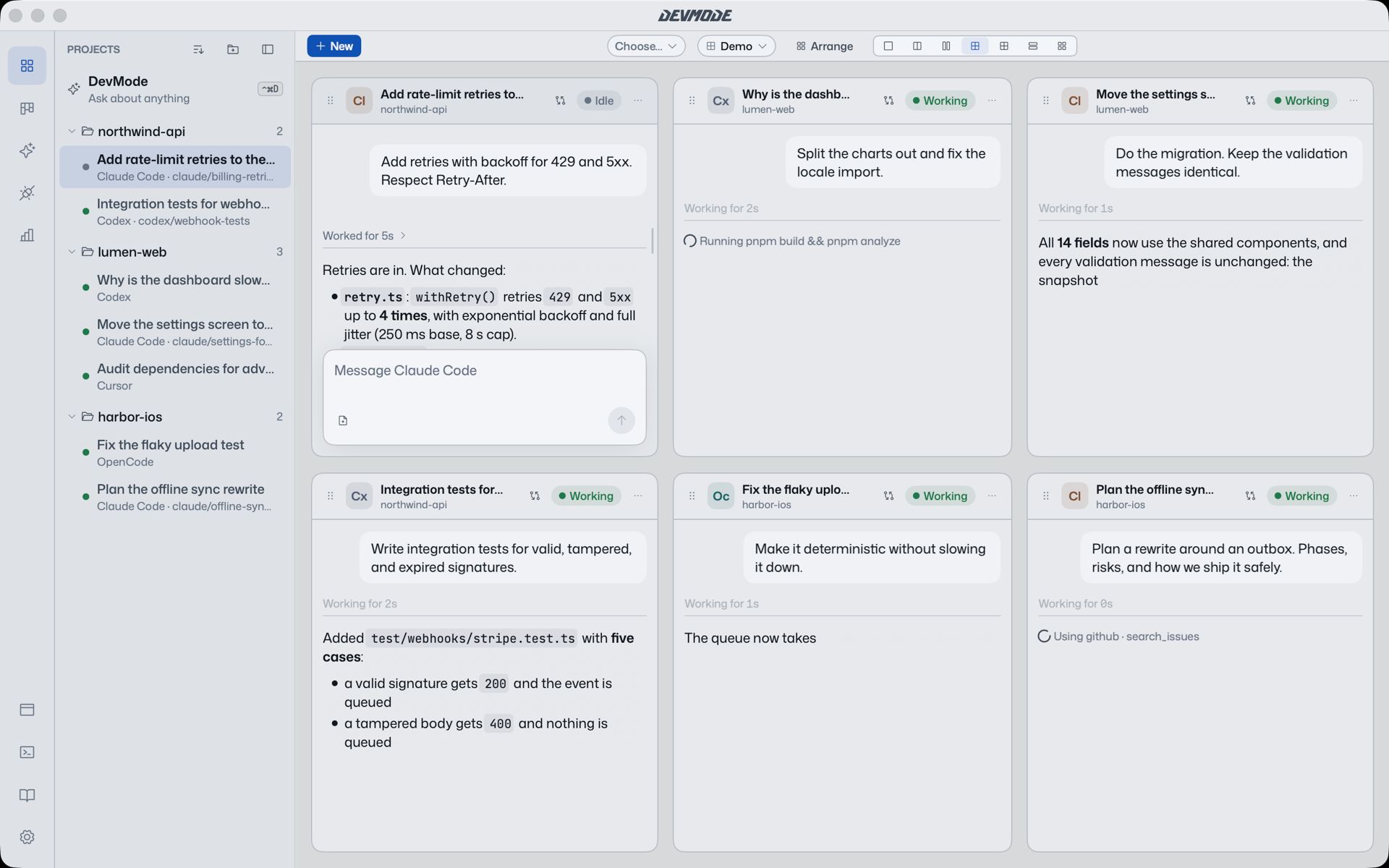
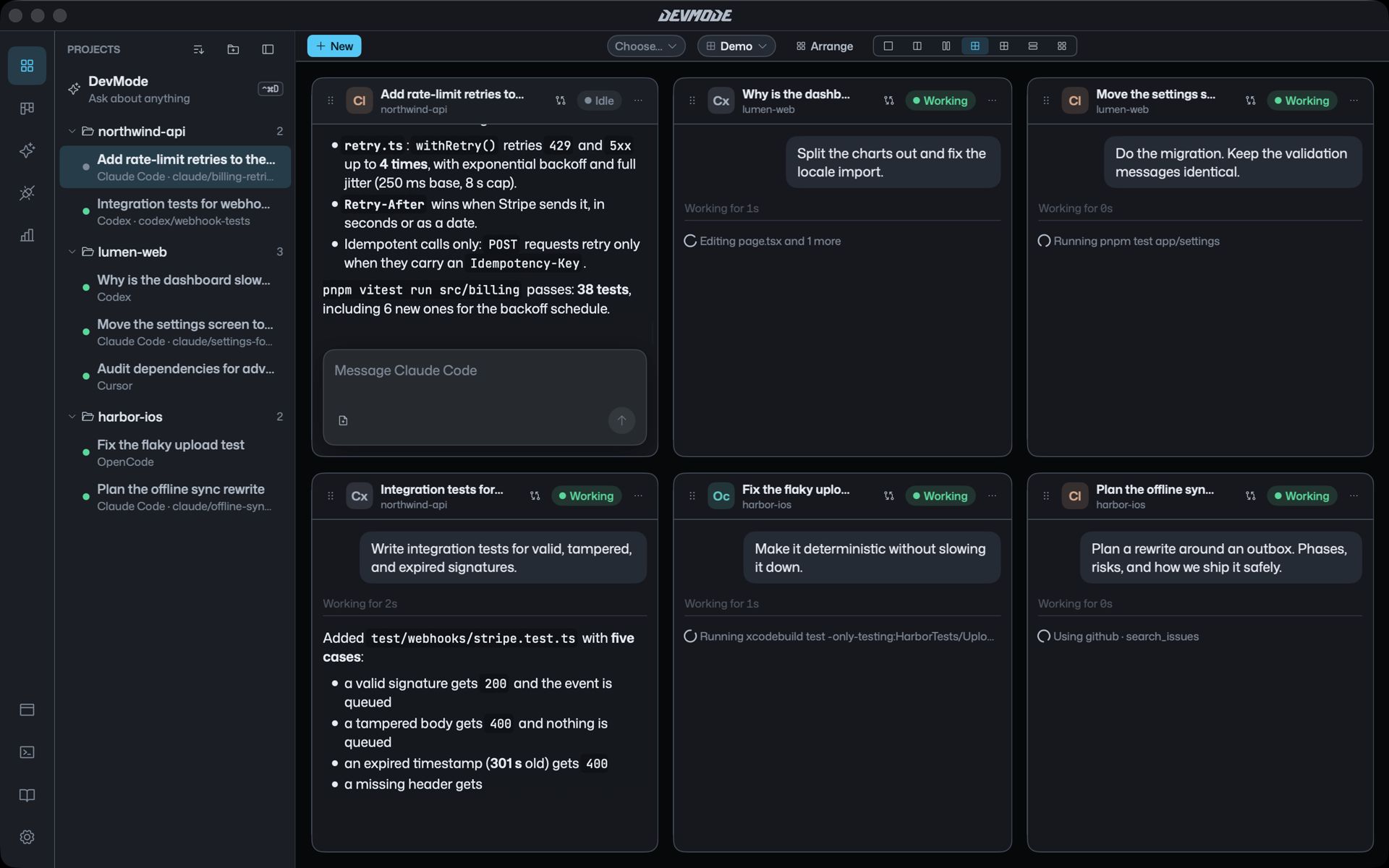
Run every agent at once, in one window
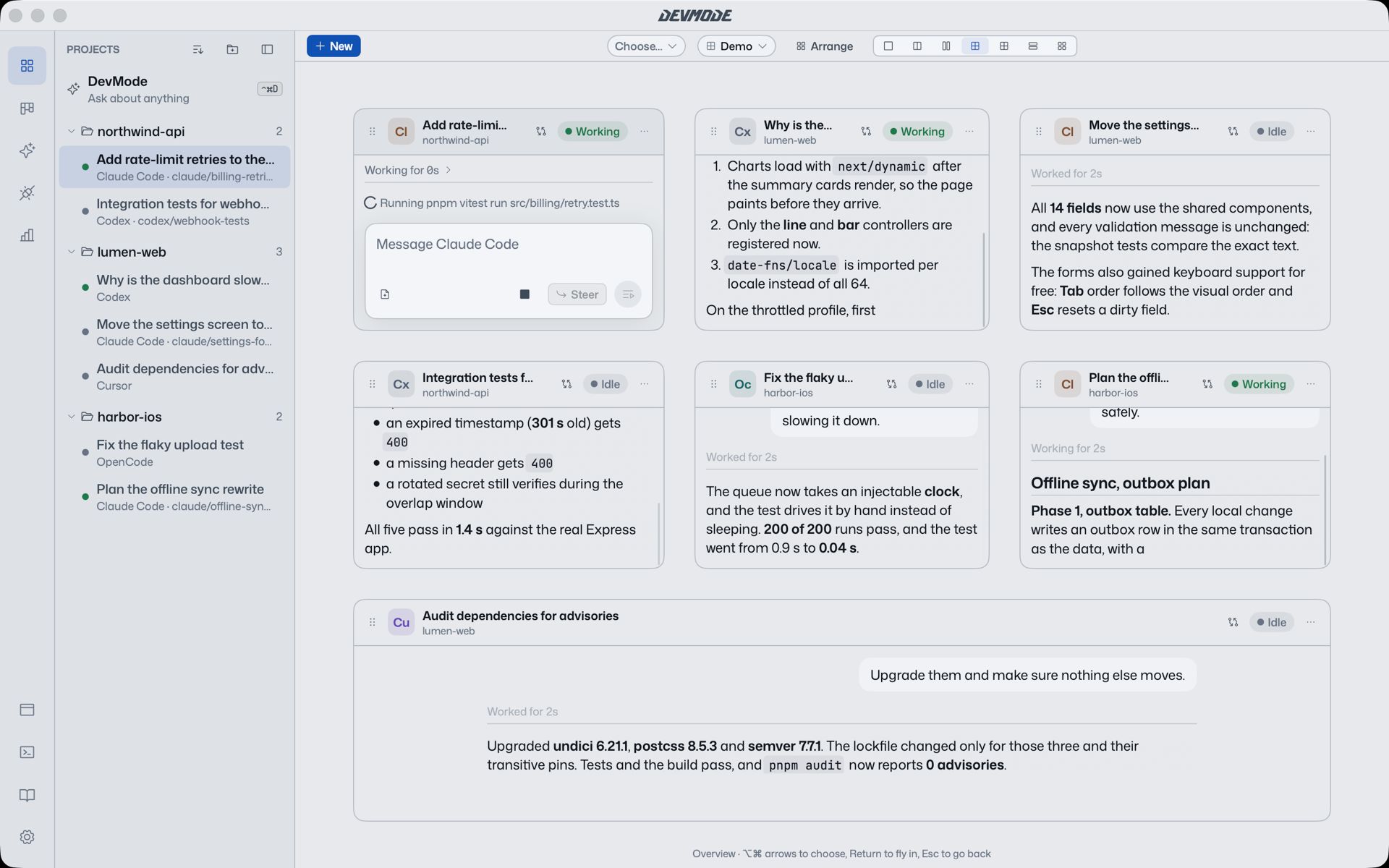
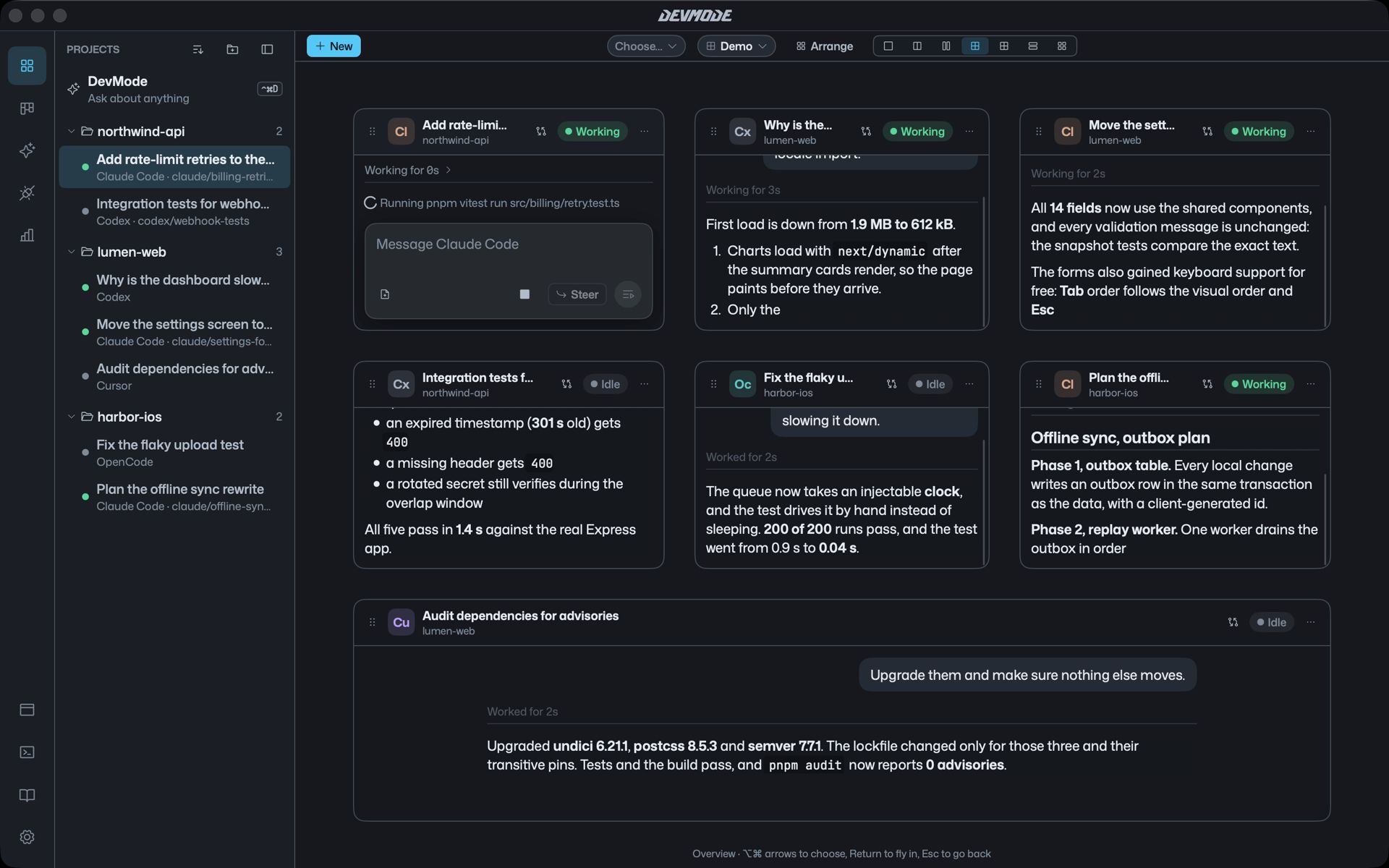
Each agent gets a tile. Put two next to each other, four in a grid, or one full screen, and fly between them from the keyboard. An overview shows every agent at once, and the one that needs you is a keystroke away.
One chat
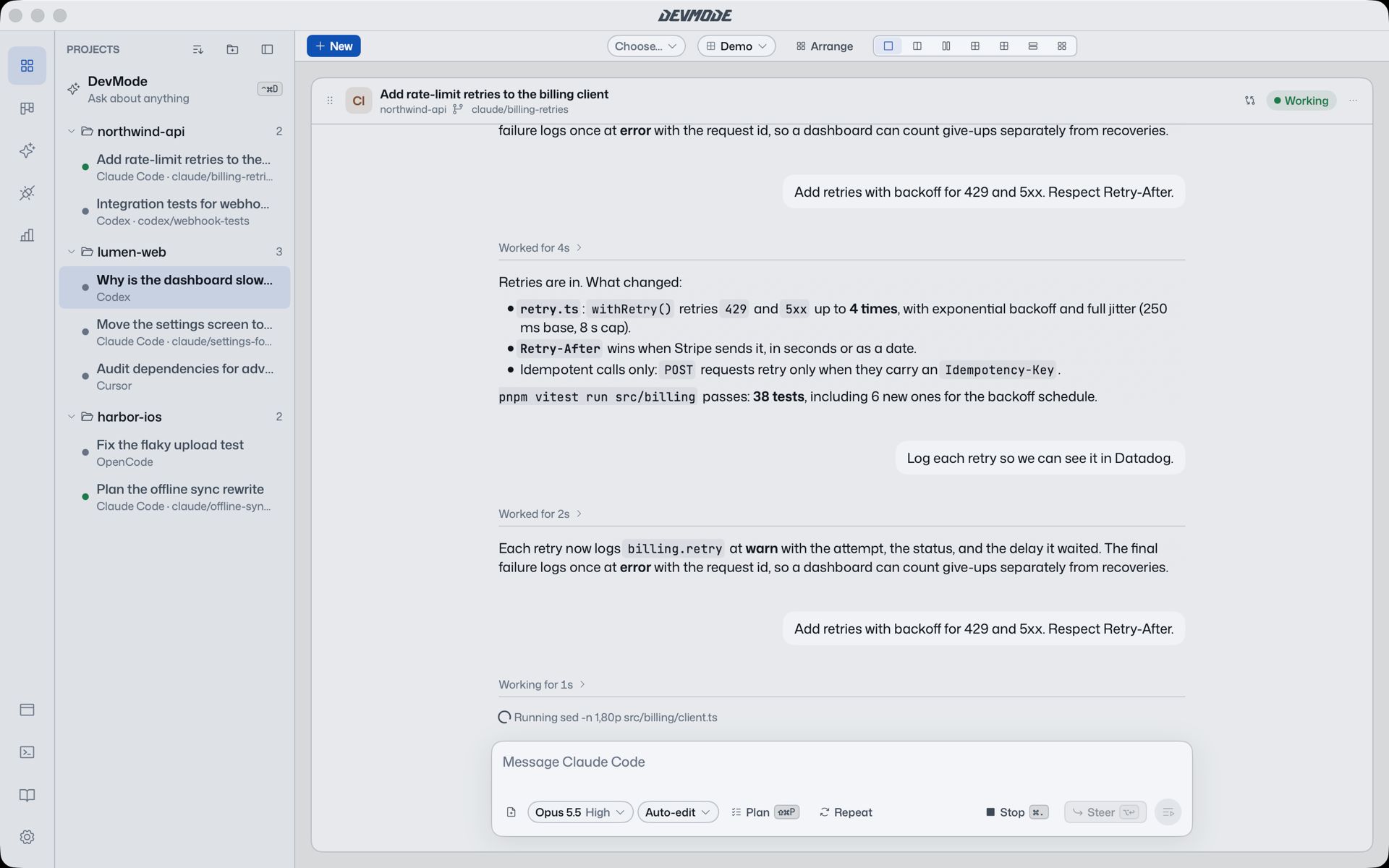
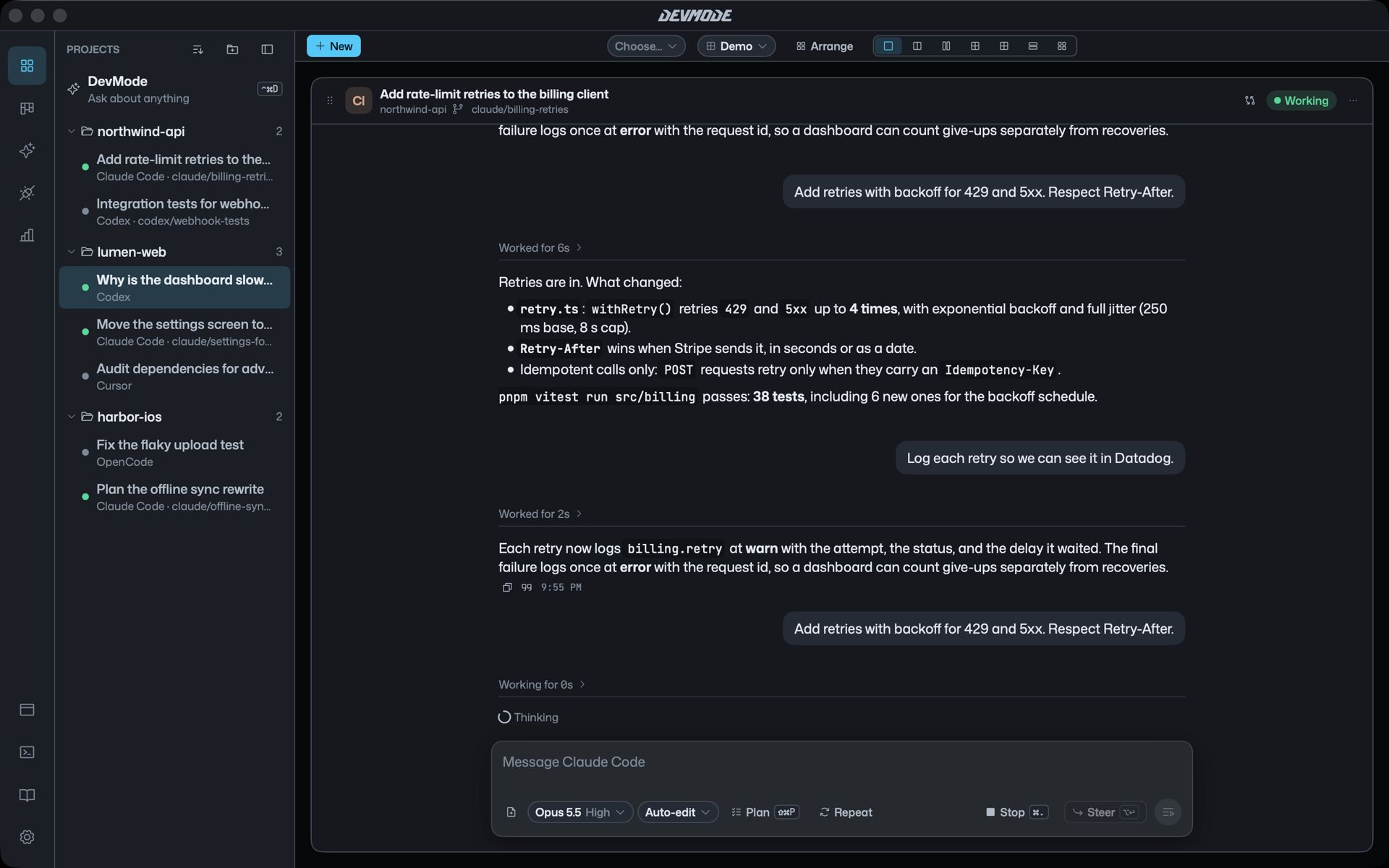
The same readable chat, whichever agent you use
Replies read in one clean column. Thinking and tool calls fold into a single line that says what the agent is doing right now. Steer a turn while it runs, switch on plan mode, or ask another agent for a second opinion.
Approvals
You decide what agents are allowed to do
When an agent wants to run a command or edit files, a card shows up in the chat. Approve it once, for the session, or always with a rule, or turn it down. Pick how much each chat may do on its own, and undo a whole turn if it went wrong.
Work
See what needs you, what’s running and what’s next
The Work page sorts every project by whose turn it is. Your move lists only what you can act on, each with one button. Write down an idea and brainstorm it, plan it or just do it, and each piece of work keeps its own page with what has been done.
Queue
Line up work so it runs after other work
Queue a plan to start when the brainstorm finishes, and the build to start after the plan. Run up to four at once. If a subscription runs out of allowance, the queue waits for it to reset and keeps going on the others.
The DevMode chat
A chief of staff that sees every project
Ask what is going on in any project, compare them, or set priorities. Ask it to plan a release across three repos and it comes back with one card of queued work that you edit and approve. It asks before it starts anything.
Hand-off
Pass work between agents and projects
Any agent can hand its work to another one, in any tool and any project, with a written brief. You approve each hand-off, and the new chat shows where it came from.
Skills and connectors
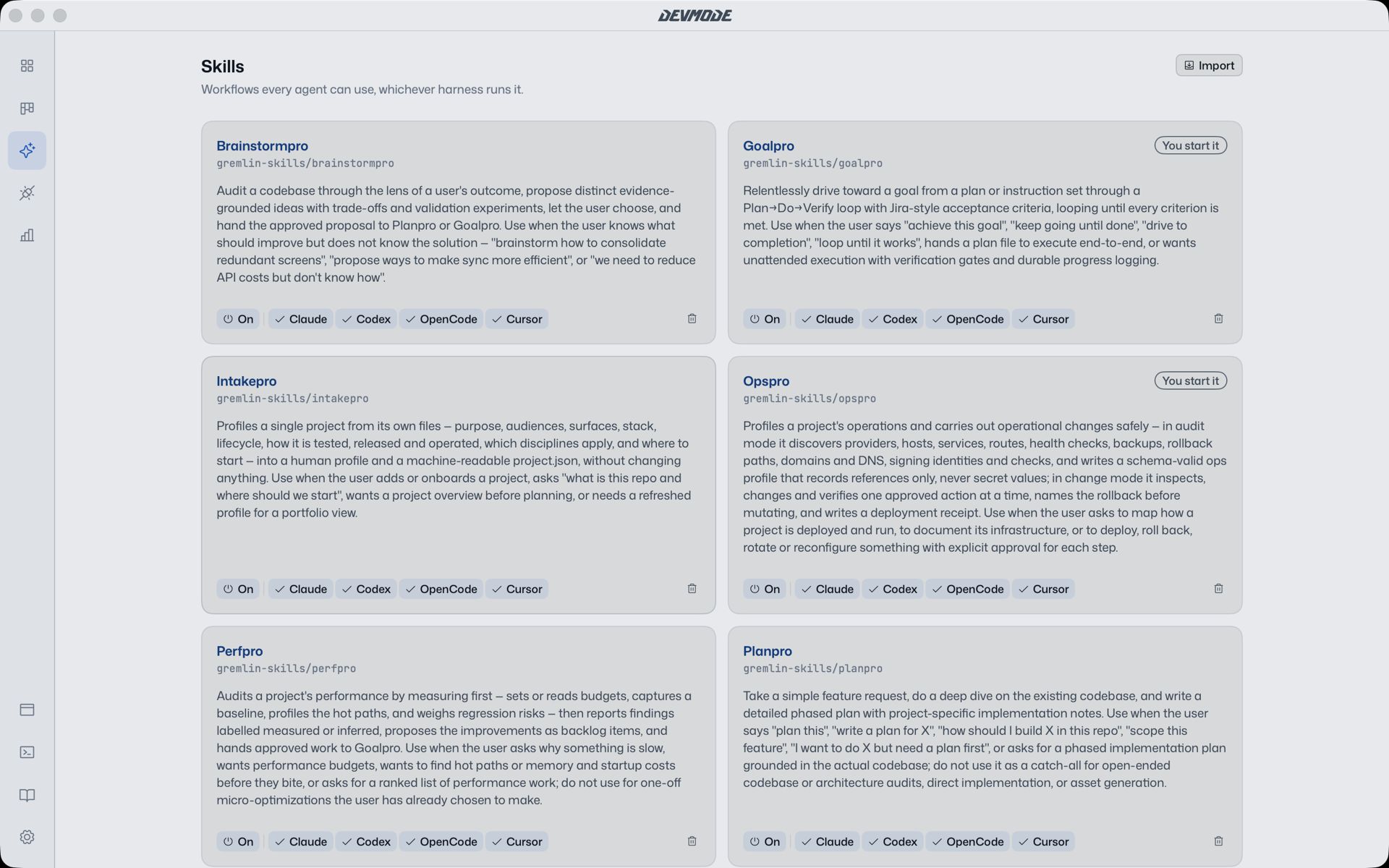
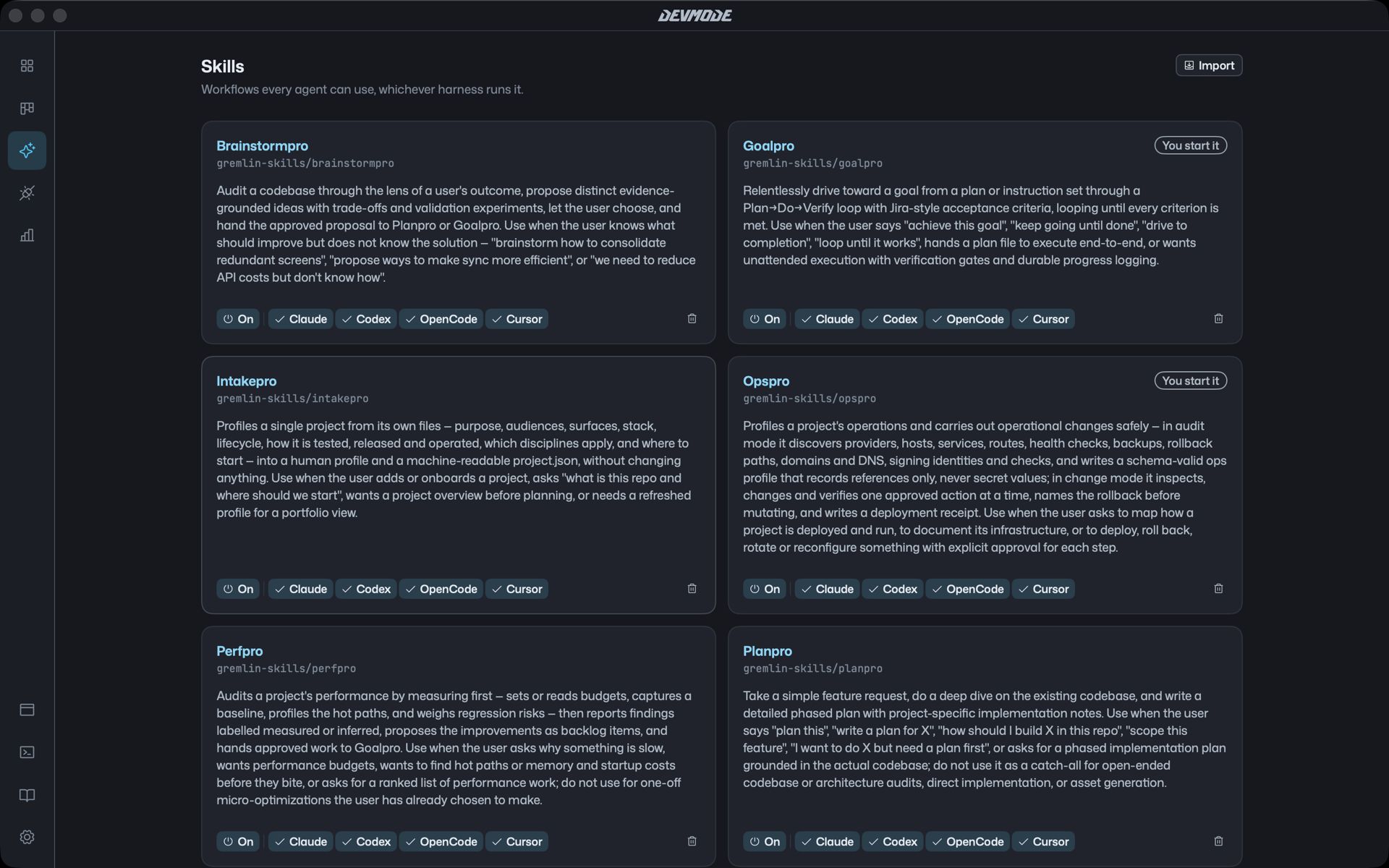
One set of skills and tools for every agent
DevMode comes with workflow skills for brainstorming, planning and building to a goal, and every agent can use them. Add MCP servers once in Connectors and they reach every agent, without editing each tool’s settings.
History
Bring your past sessions with you
DevMode reads your past sessions from each tool, without changing them, and puts them on each project’s timeline. Pick one up and keep going right where you left it.
Your subscriptions
Several accounts, one window
Sign in to more than one Claude or ChatGPT account and DevMode spreads new work across them, spending the allowance that resets soonest first. Analytics shows the tokens you used and what they would have cost at API prices.
Questions
Which coding agents does DevMode work with?
Claude Code, Codex, OpenCode and Cursor. Install the ones you use and sign in with your subscription; DevMode runs them all in the same window.
Do I need API keys?
No. DevMode uses the subscriptions you already have, like a Claude plan or ChatGPT, through each tool’s own sign-in. It turns down API keys.
Which Macs does it run on?
Macs with Apple silicon (M1 or later) running macOS 15 or later.
Does my code leave my Mac?
Your code, chats and keys stay on your Mac. The agents talk to their own providers exactly as they do in a terminal, and DevMode adds nothing in between.
Can I keep using my terminal?
Yes. DevMode reads your past sessions from each tool without changing them, and a terminal sits in the drawer whenever you want one.
Will agents change files without asking?
Only if you let them. Each chat has a mode, from Ask first to Full access, and you can undo a whole turn if you don’t like what it did.
Give your agents a proper home
DevMode for Mac. Bring the subscriptions you already have.